Unplugged Studio

Focused training.
Zero clutter.

JIM is a simple workout planner and exercise tracker designed to stay out of your way.

Available on the App Store for iPhone

Your progress, at a glance

Open the app and see your training laid out clearly.
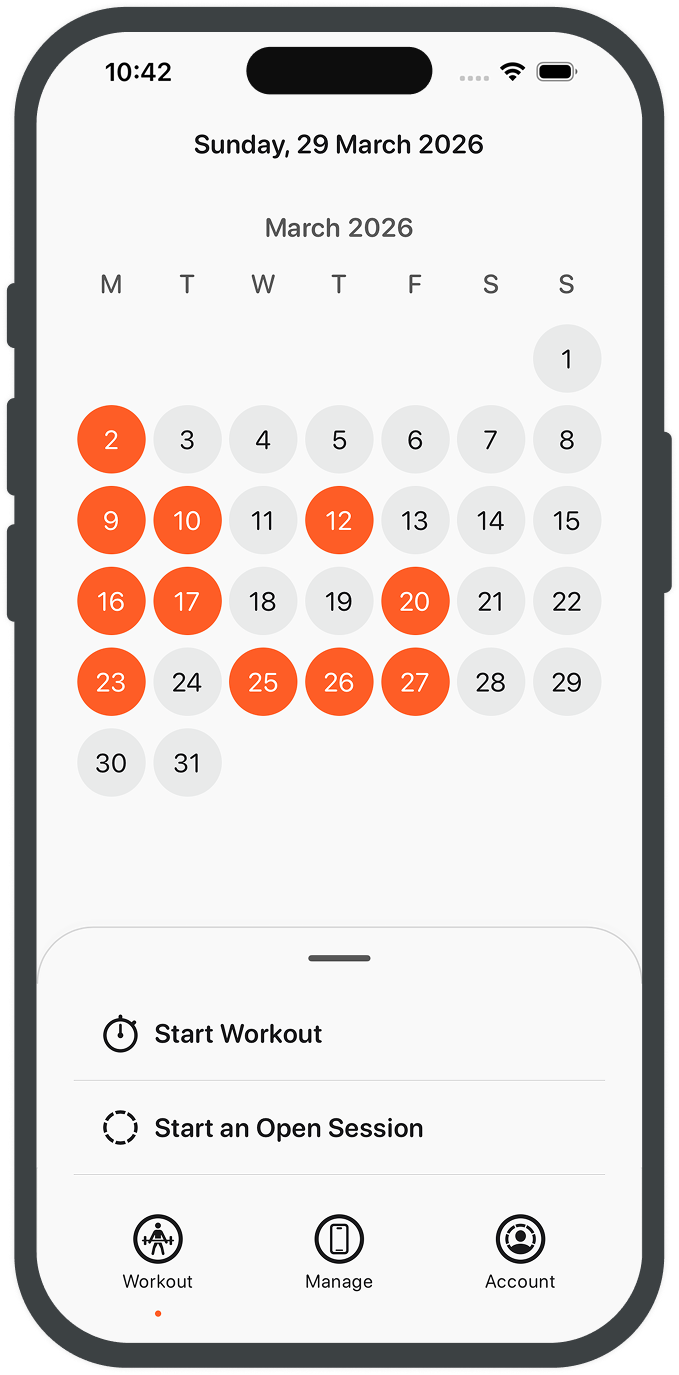
Workout Tracker dashboard showing weekly progress and current streak
  • Your workouts on a calendar, easy to scan.
  • Scroll back and see what you've done over time.
  • Every logged session, all in one place.
  • A clear view of how consistent you've been.
  • Quick to check before or during a workout.
  • No noise. Just your training.
Log your session

Capture each set as you go, without slowing down.

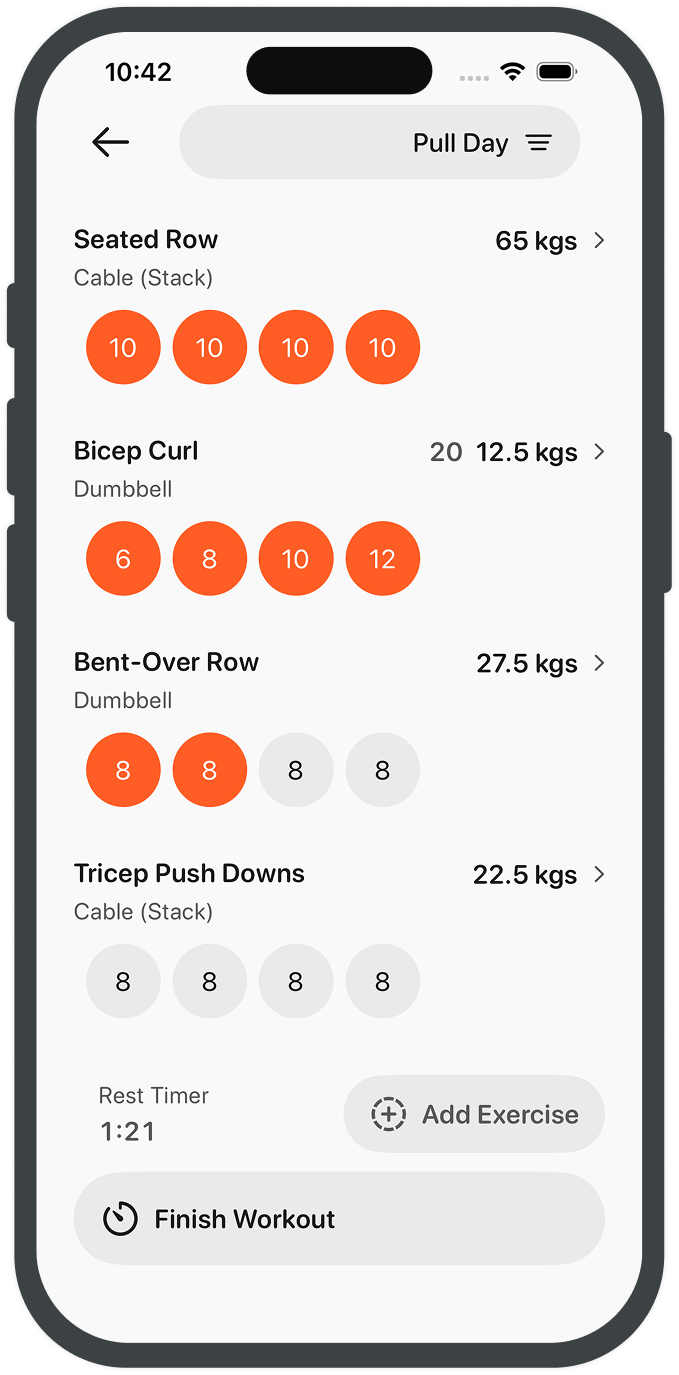
Workout logging screen with sets, reps, and weight entry
  • Tap to log each set as you finish it.
  • Sets, reps, and weight - quick to enter and adjust.
  • Move through your workout without breaking focus.
  • Everything updates as you go.
  • Built for use between sets, not after.
  • No friction. Just logging.

Adjust as you go

Fine-tune each exercise without slowing down.

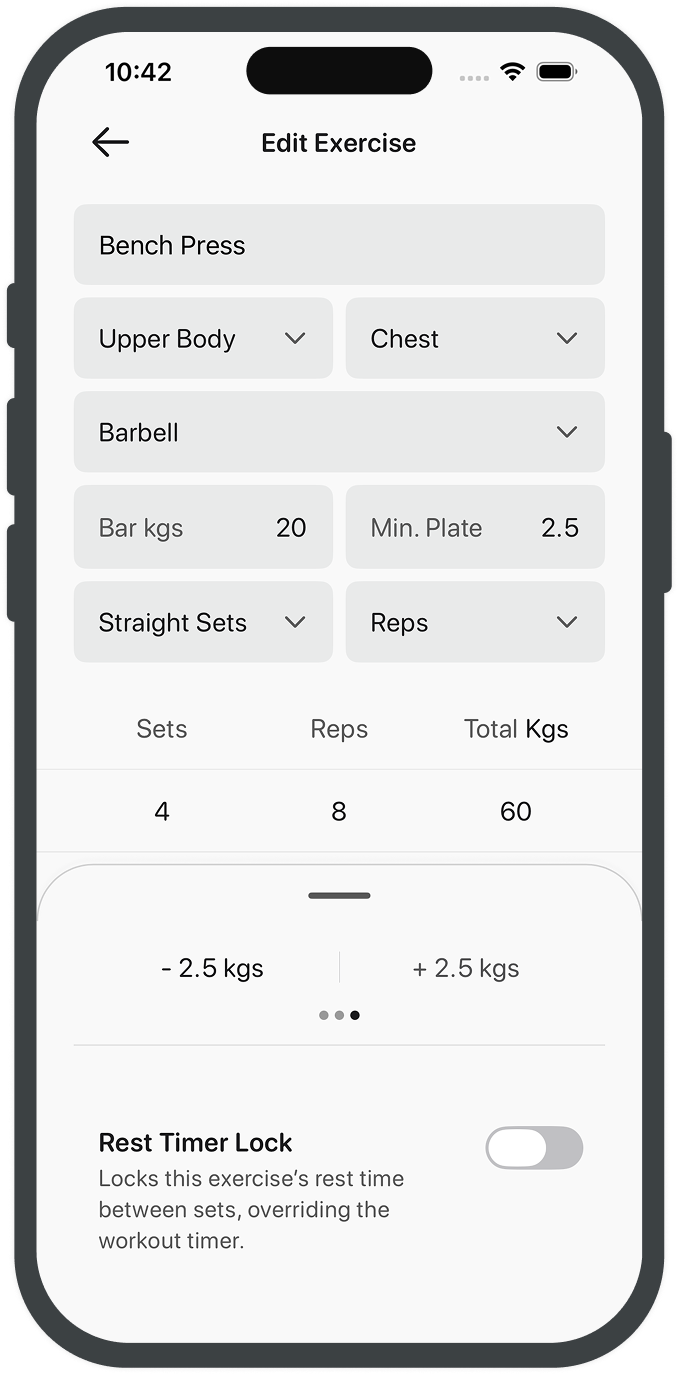
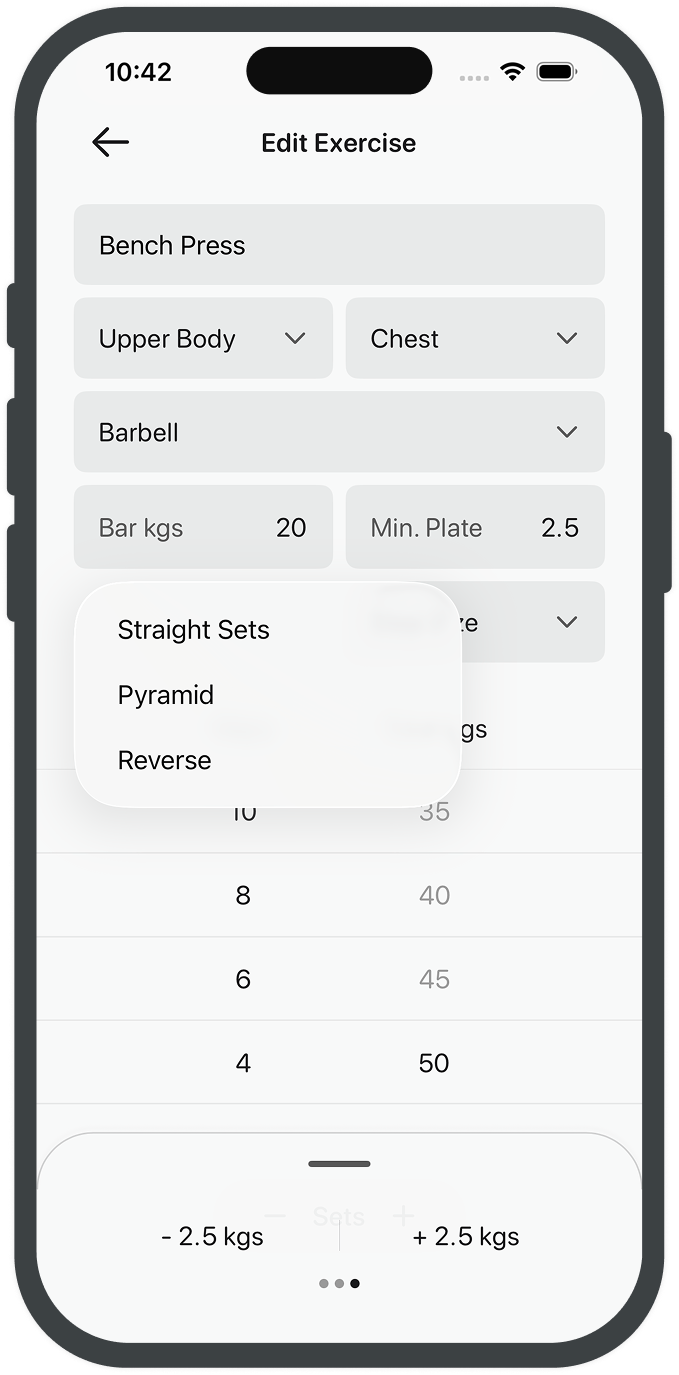
Edit exercise screen for adjusting name, sets, and rest defaults
  • Increase or reduce weight, reps, or sets in seconds.
  • Switch between straight sets and pyramid when needed.
  • Quick adjust controls, or type it in - whatever's faster.
  • Weight changes follow your available plate setup.
  • Barbell loads are calculated per side automatically.
  • Everything stays in sync as you train.

Start with a programme

A few solid starting points, ready when you are.

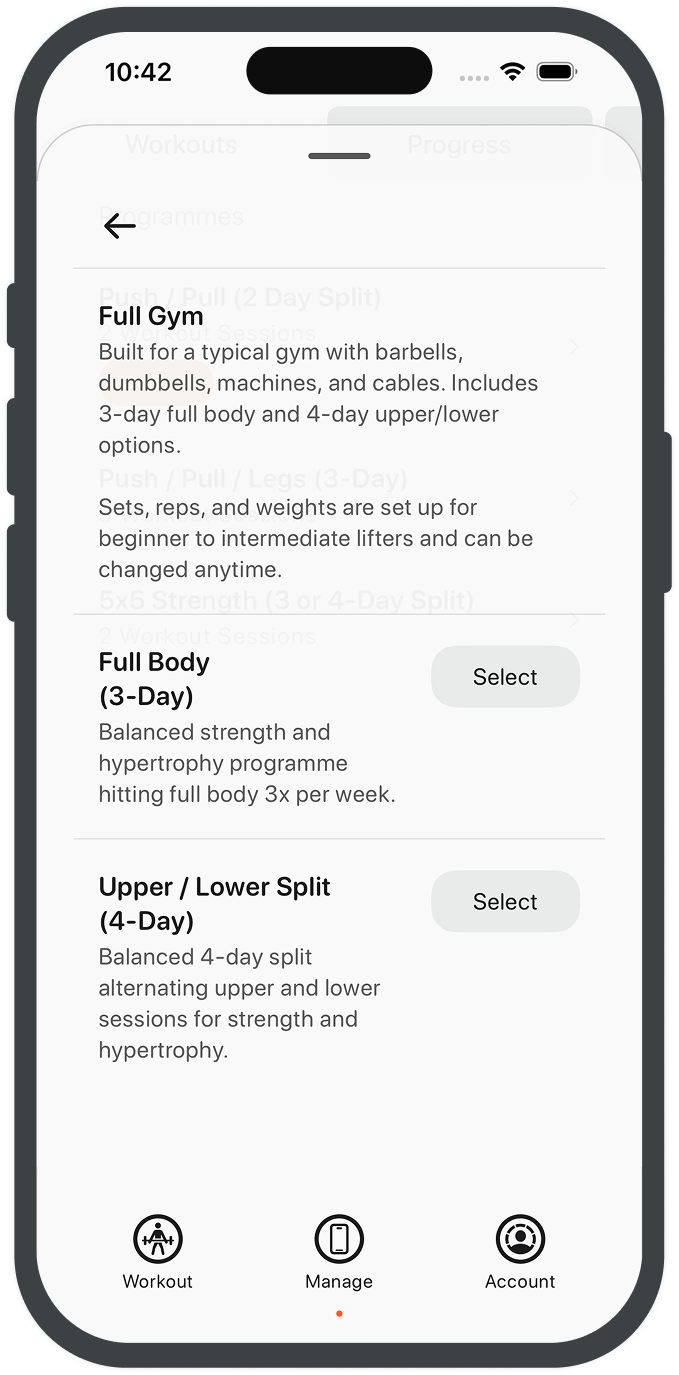
Starter programme list with beginner and intermediate options
  • A small set of programmes to get you going.
  • Full gym programmes, with machines and free weights.
  • Weights-only options for simpler setups.
  • Programmes built around barbells.
  • Options for dumbbells or kettlebells.
  • Clear structure without overcomplicating things.
  • Easy to follow from day one.
  • A starting point, not a system.

Build your own programmes

Set up your training, your way.

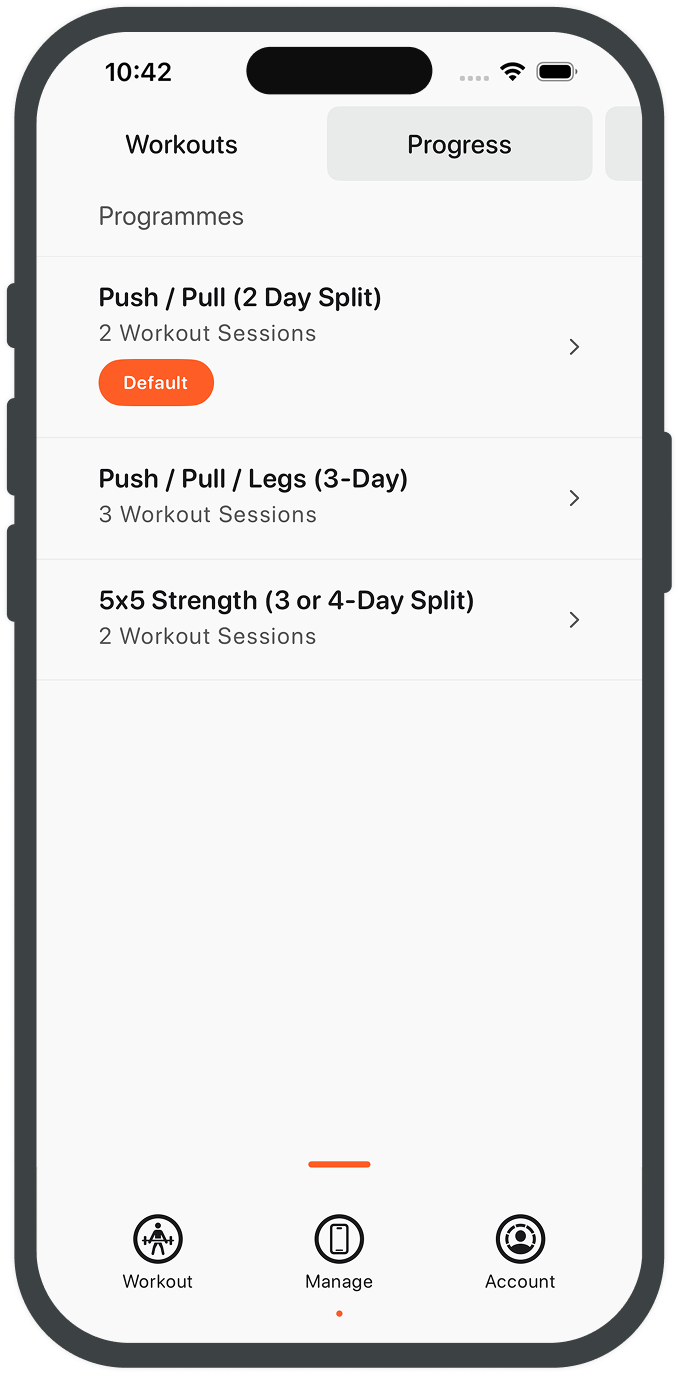
Programme management view with reorder and duplicate actions
  • Create programmes that fit how you train.
  • Set one as your default to start straight from the dashboard.
  • Reorder programmes with drag and drop, or set one as default directly.
  • Keep your training structured without overthinking it.
  • Easy to adjust as your routine evolves.

Structure your workouts

Set up each session in your programme.

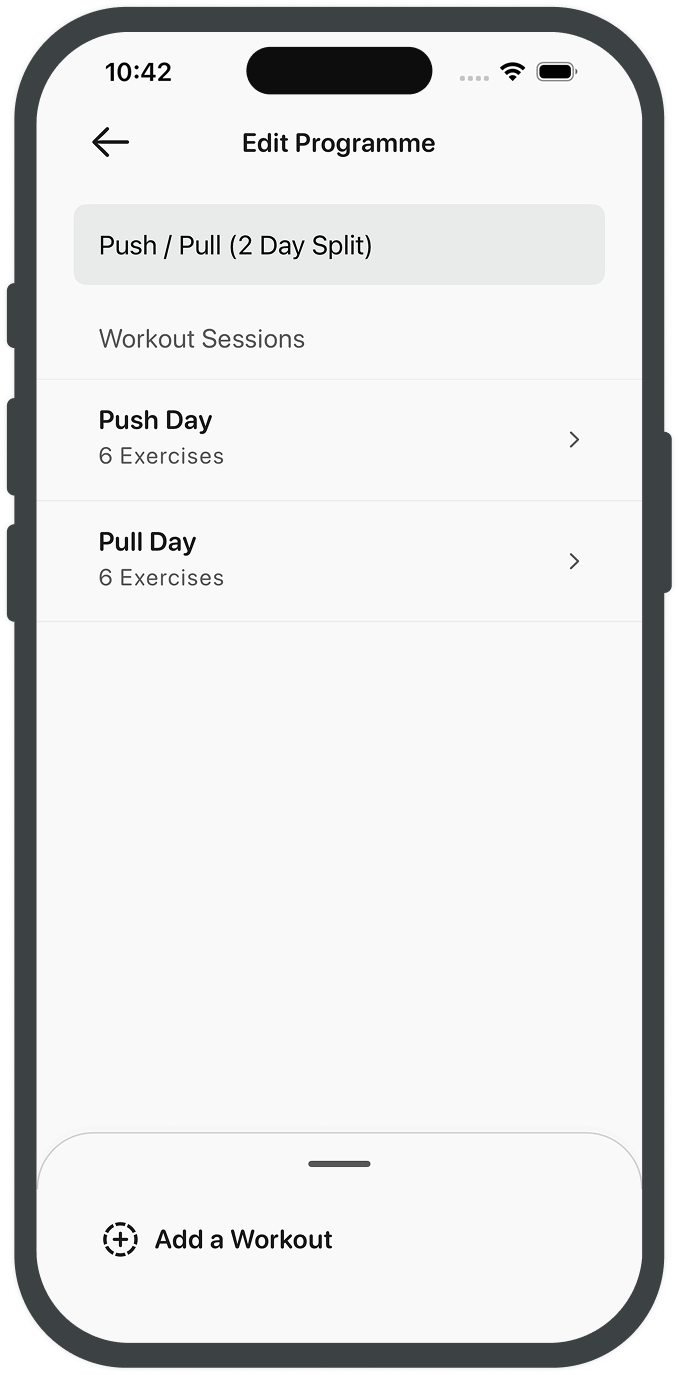
Workout structure screen showing sessions within a programme
  • Add as many workout sessions as you need.
  • Reorder sessions with drag and drop.
  • Sessions rotate as you move through the programme.
  • Skip ahead or pick a different session when starting a workout.
  • Keep your training organised without overthinking it.

Plan each session

Set the flow of each workout.

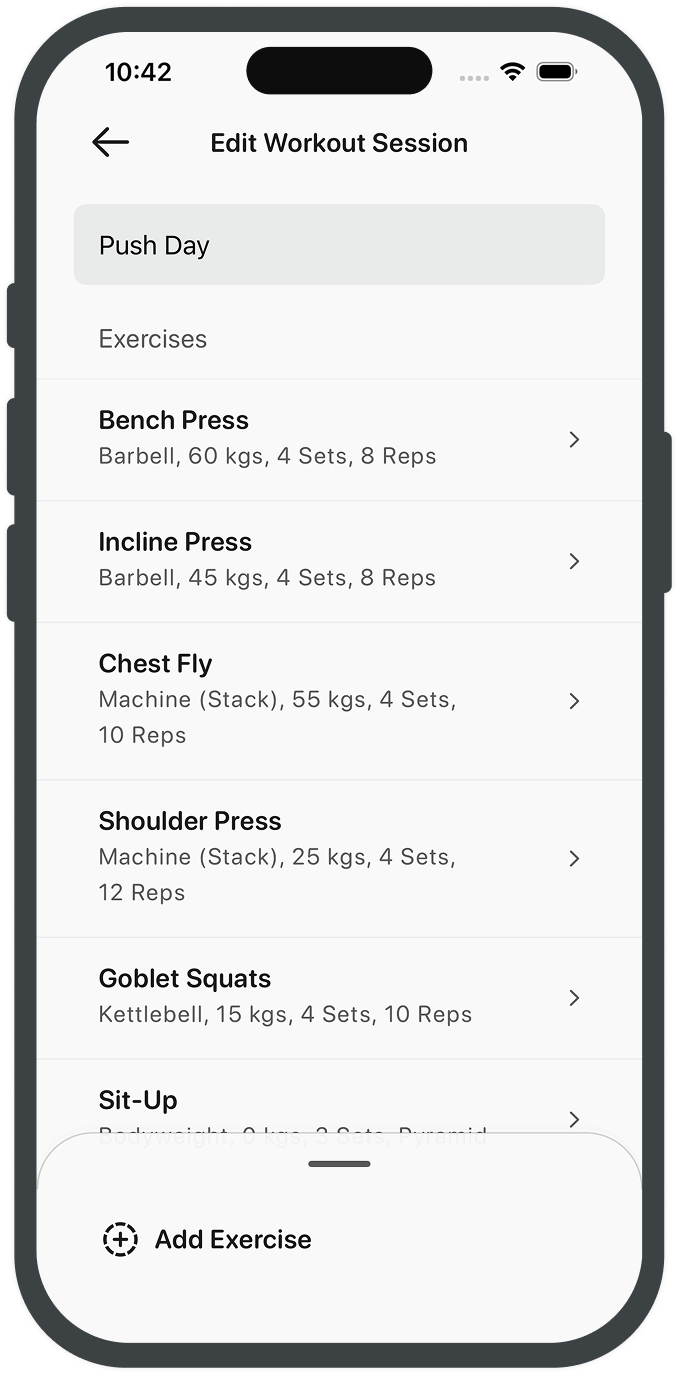
Session planner with exercise sequence and set configuration
  • Add as many exercises as you need for each session.
  • Choose from your library or create new ones as you go.
  • Any new exercise is saved to your library for later.
  • Arrange exercises in the order you want with drag and drop.
  • The order you set is how your workout will run.
  • Keep each session clear, structured, and easy to follow.

Create your exercises

Build your exercise library once.

Exercise setup form for creating a custom movement
  • Create new exercises or adjust existing ones.
  • Name them in a way that makes sense to you.
  • Set target areas and primary muscle groups.
  • Choose the equipment used from barbell, dumbbell, cable, to bodyweight.
  • Add weight offsets where needed, like barbells.
  • Set plate or stack increments for quick adjustments during workouts.
  • Choose your set style from straight, pyramid, or reverse.
  • Track by reps, weight, or time depending on the movement.

See your progress

See how your training is going, without digging.

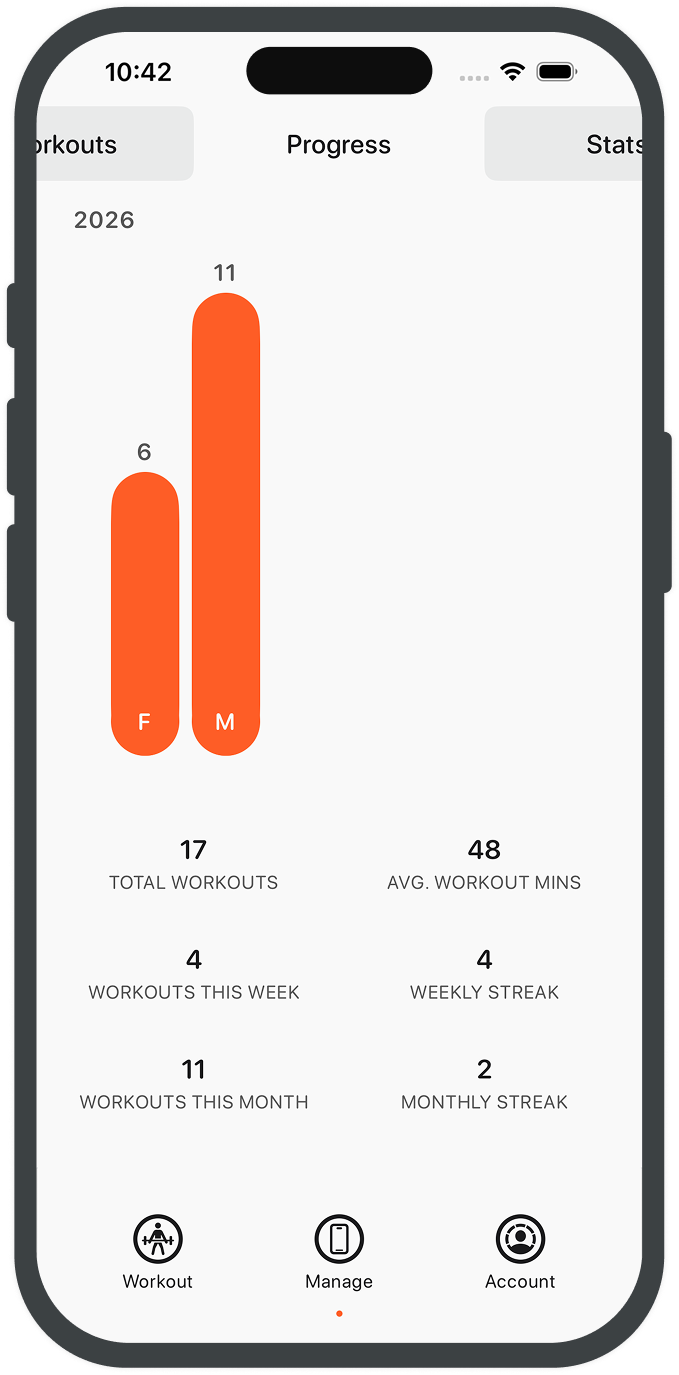
Progress overview with trend chart and recent performance
  • Workouts this week and this month, in one place.
  • Monthly totals and overall workout count.
  • Average session length, kept simple.
  • Current weekly and monthly streaks.
  • Weekly and monthly workouts, also available on your widget.
  • A clear snapshot of your consistency.

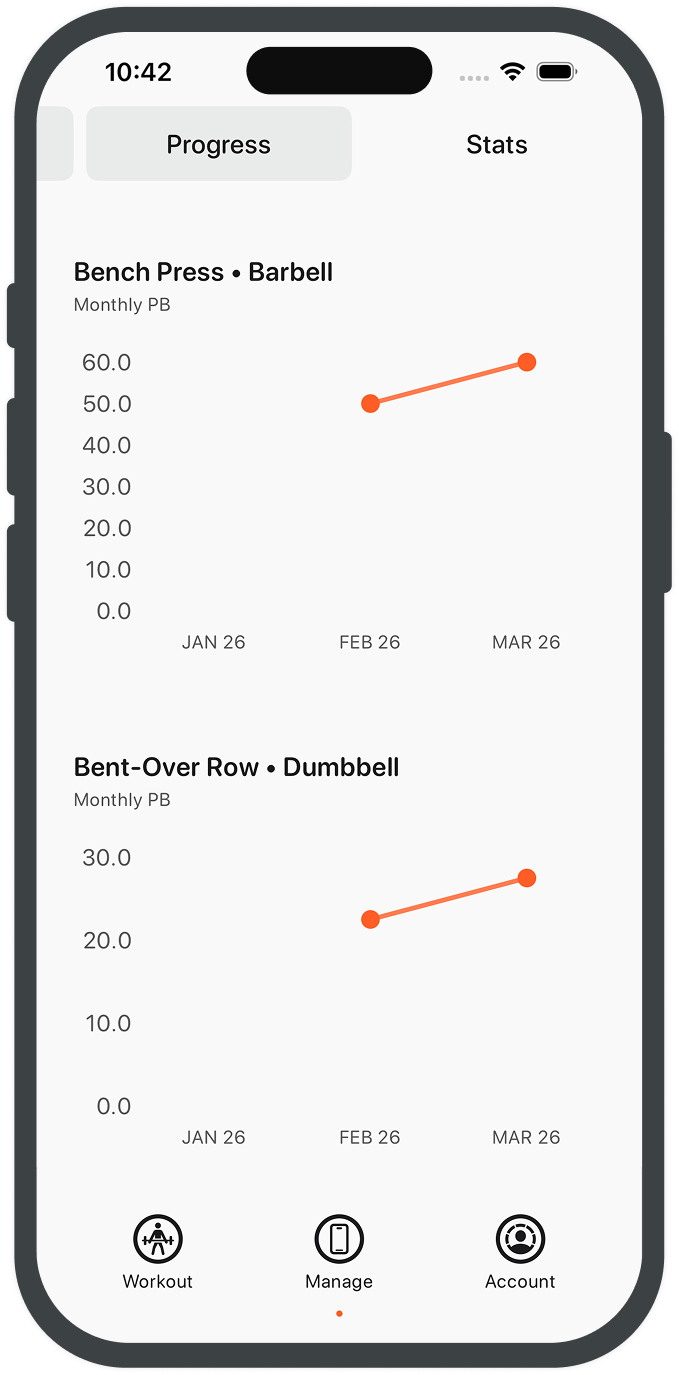
Track every lift

Simple exercise stats focused on progress.

Exercise stats showing volume and best lift history
  • For each exercise, we record your top weight or best time each month.
  • Monthly bests are easy to compare at a glance.
  • We avoid noisy up-and-down changes inside each month.
  • The goal is clear metrics, not clutter.
  • See what improved and where to focus next.
  • Progress stays visible without overcomplicating the data.

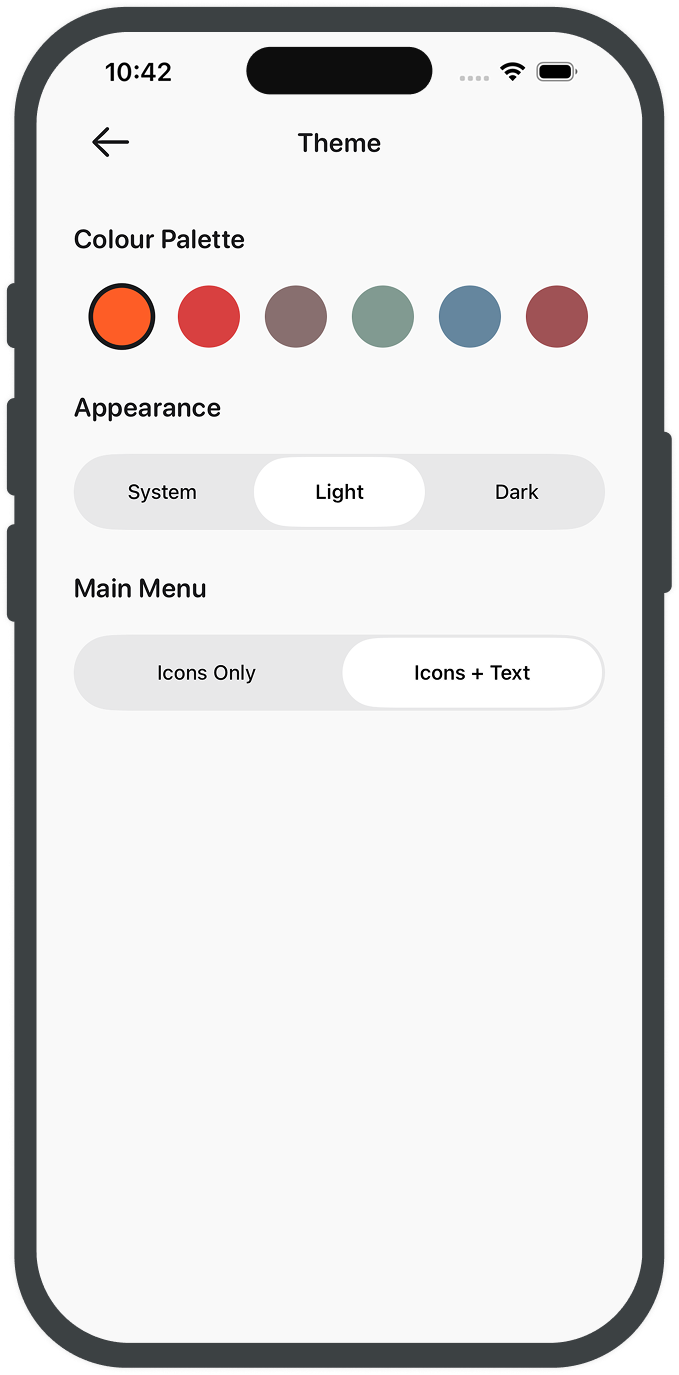
Make it yours

Choose a look that fits how you train.

Theme selection screen with light and dark mode preview
  • Light or dark mode, depending on your environment.
  • Accent colours to match your preference.
  • Icons with or without labels on the main tabs.
  • Subtle changes, just enough to make it feel like yours.

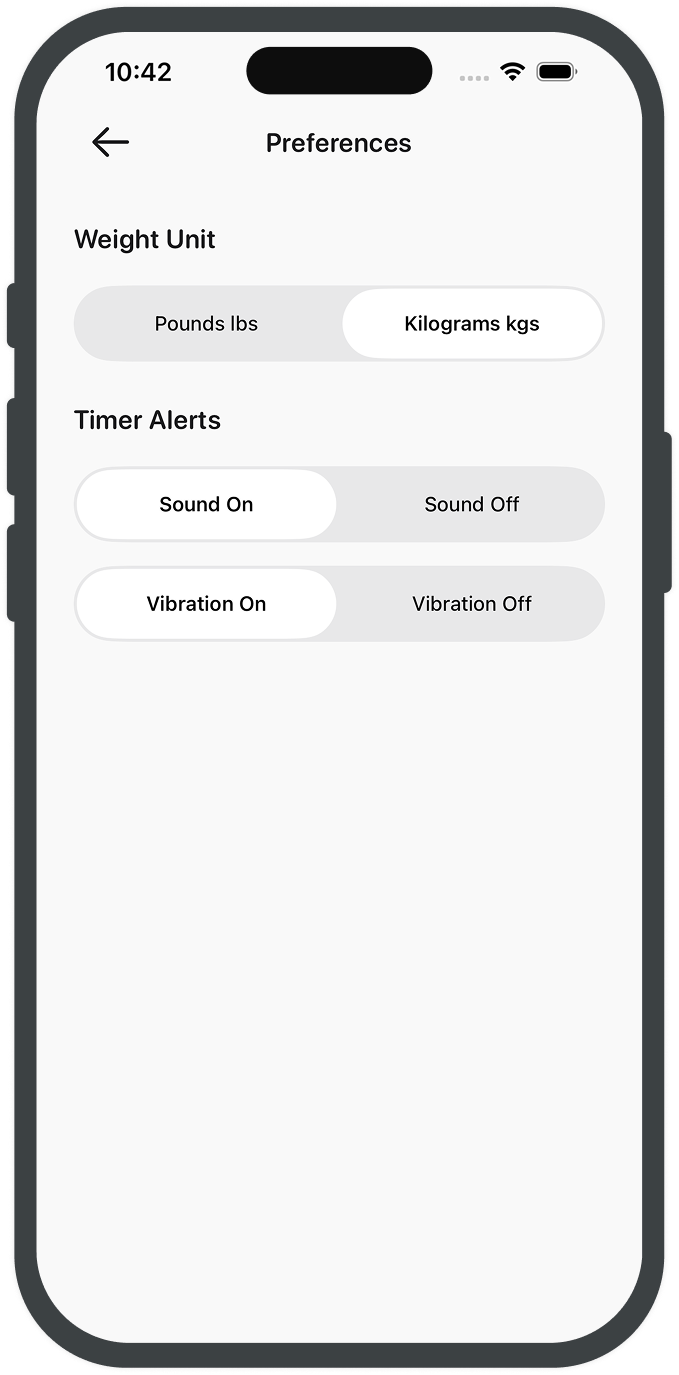
Set it your way

A few small defaults, set once.

Preferences screen for units, defaults, and app behavior
  • Choose between kg or lbs.
  • Conversions are handled for you, based on real weights and bars.
  • Set your timer alerts - sound and vibration.
  • Simple settings, kept out of the way.

Data Privacy

Your data stays on your device

Workout Tracker is designed to keep your training data on-device. Your workouts, exercises, programmes, and progress stats are not stored on our servers.

No account is required to use the app, and we do not sell your personal data. If iCloud sync is enabled, Apple handles cloud storage and syncing under Apple's privacy policies.